
How to send your music to radio (and get it played)
In this guide
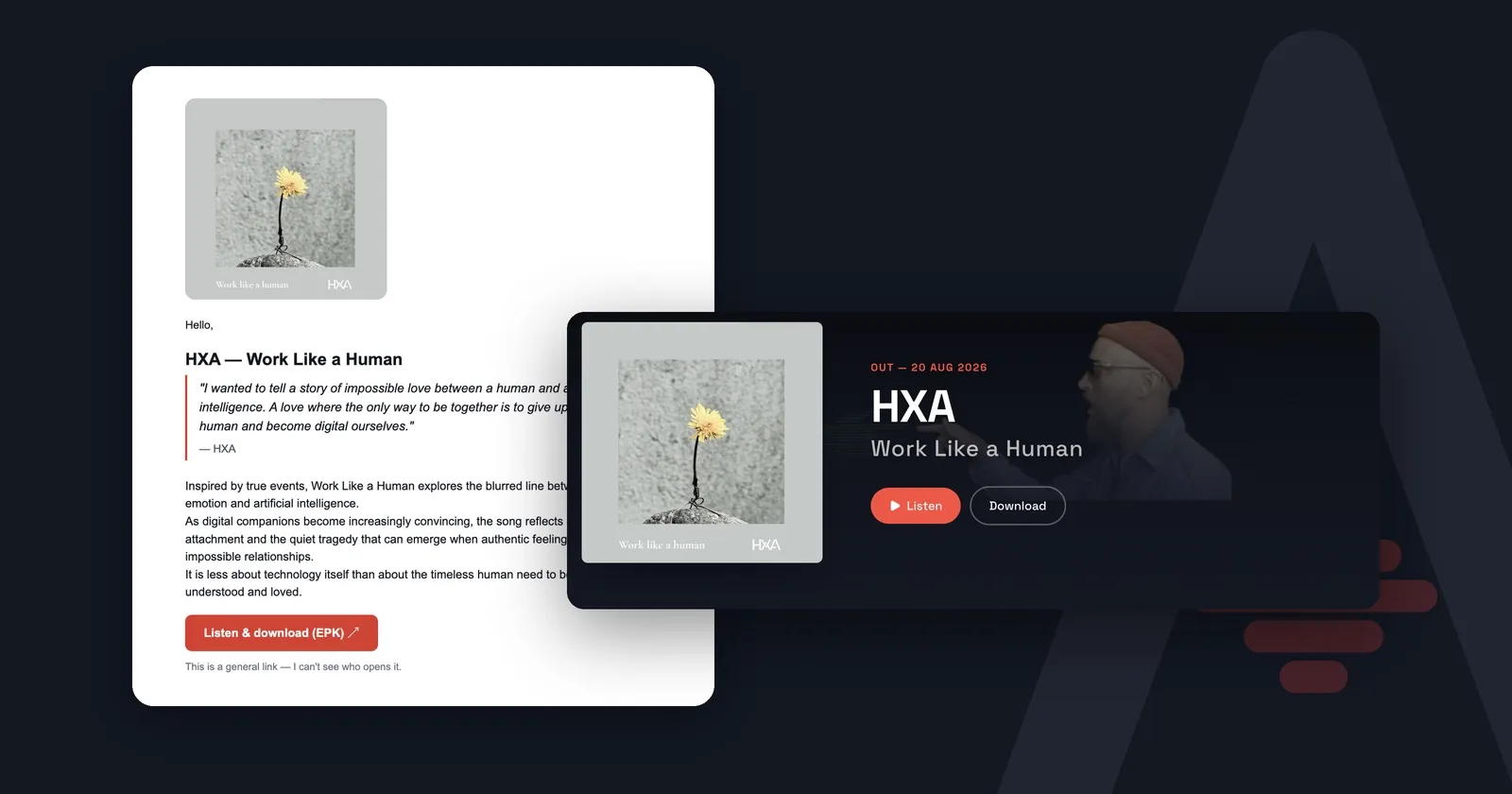
Radio hosts don’t skip your track because it’s bad. They skip it because they never got to hear it. The link needed a login, the folder had expired, or the email didn’t say what the song was. This guide covers who to contact, what to send, and how to make a promo that is easy to play.
I’ve sent my own releases to radio for years. Most of what makes a promo work is simple, and it’s also easy to get wrong.
1. Pick the right shows, not every station
A mass email to fifty stations gets filed. A short personal email to five shows that play your kind of music gets opened.
- Start local and specialist. Community radio, college radio and genre shows play new independent music. Big national playlists rarely start with an unknown name.
- Find the person, not the station. Look up the host or music editor of the specific show. Many list a contact on the station’s website or their own social profile.
- Listen first. Play two or three episodes. If your track wouldn’t fit between the songs you hear, move on.
- Keep a simple list. Show, host, email, what they play, when you sent, and whether they replied.
2. Send it at the right time
Send the promo two to four weeks before release day. Shows plan ahead, and a premiere or early play needs lead time.
When to send the promo, the follow-up and the streaming links is a guide of its own: Release timeline: when to send what.
3. Write an email that gets opened
The host decides in the inbox, in seconds. Make the subject line do the work:
Artist – Track (release date) + one reason to listen
For example: Meriranta – Track Name (out 14 Nov) · Helsinki synth-pop for late-night radio
The body should be short:
- One line of hello, by name, and why you’re writing to this show.
- Two or three sentences about the track: what it is, why it exists and why now. A story, not a biography.
- One link where they can listen and download.
- Your name and how to reach you.
Send it from your own email address, to one person at a time. A personal note gets opened; a newsletter gets filed.
Write for the recipient. One press release doesn’t serve everyone. Radio cares about the music, and getting the file. A magazine may care about the story behind the record, especially with a gig coming up. A label wants numbers: streams, audience, shows. Change your two or three sentences to fit who you’re writing to.
4. The five things a radio host checks
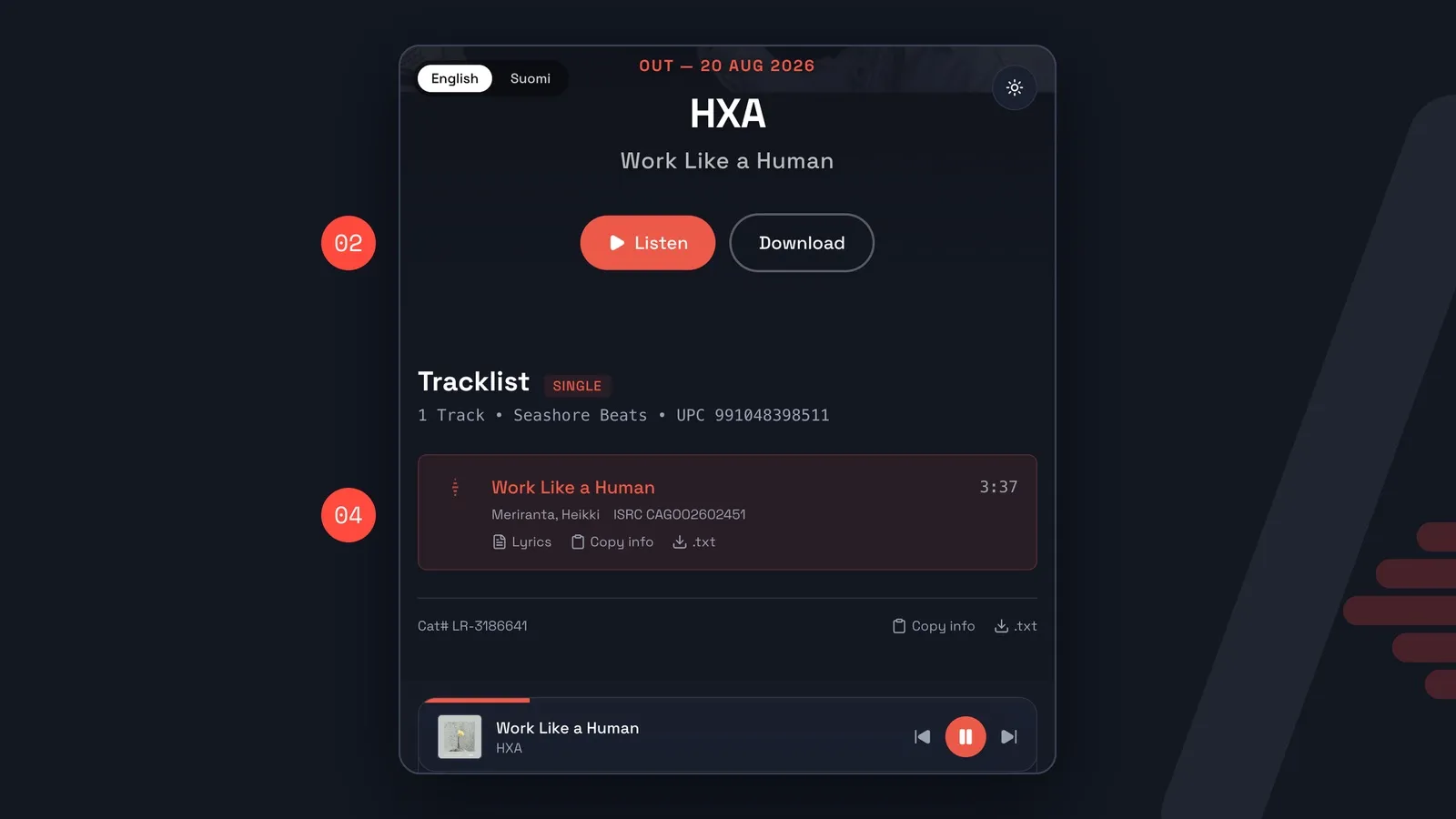
Get these five right and your promo is easy to say yes to:
- A hook in the subject line. Artist, track, date and one reason to listen.
- Listen and download in one tap. No login, no access requests, no expiring links. The track should play on a phone right away, and the broadcast file should download with one button. A Google Drive folder without view access, or a WeTransfer link that expired last week, ends the conversation.
- A short story, not a biography. Two or three sentences. They can read more if they want to.
- Credits ready to copy. ISRC, writers, label and release date. Many stations report what they play, so that royalties reach the right people. Don’t make them search.
- Photos and a contact. Hi-res press photos with the photographer credited, and one clear contact for interviews.
One more: say what’s true about you. Anyone writing about you needs the basic facts right, like how to spell your name, who’s in the band and where you’re from. Put the facts you want used in one place.
And show what’s going on. At a glance, a host should see what’s new: a release next month, a gig coming up, who’s in the live line-up (say, a DJ and two singers). That’s what turns a track into a play, or an interview.
5. Send the right files
- Broadcast file: MP3, 320 kbps. That’s what radio uses. A WAV takes a lot of space and adds nothing on air, so offer it only if someone asks.
- Name the file so it can be found:
Artist_Track.mp3. A host searching in a hurry won’t find01_final_master45.mp3, and a track that can’t be found doesn’t get played. - Metadata in the file: artist, title, ISRC and artwork embedded.
- Radio edit if the album version is long or has explicit lyrics.
- Cover art as a square image, at least 1400 × 1400 px.
6. Respect the inbox
- Don’t attach big files to the email. Link to them.
- Don’t add people to a mailing list they didn’t sign up for.
- If you use links that show who opened the promo, say so in the email. People appreciate knowing.
- A “no” or no reply isn’t personal. Shows get far more music than they can play.
Quick checklist
- Five to ten shows that actually play my kind of music
- Host names and emails
- Subject line: Artist – Track (date) + hook
- Two or three sentence story
- One link: listen, download, credits, photos, contact
- MP3 320 kbps named Artist_Track, with metadata and ISRC
- Sent 2–4 weeks before release, one follow-up
All five things in one link
I built AirCues because my own promos were a mess of Dropbox folders and pasted credits. AirCues turns your release into a private press kit (player, downloads, credits, photos and contact) plus a ready promo email you send from your own inbox. It’s not a submission platform: you choose who gets it, and you write to them yourself.
Free for DIY artists → AirCues.com
Questions, “but what about X?”, or a station I should know about — DM @aircues on Instagram. I read every one.
FAQ
Can I send unreleased music to radio?
Yes. Most radio promo is sent before release. Give the release date clearly and say whether the host may play it before then.
Should I send a WAV or an MP3?
An MP3 at 320 kbps. That's what radio plays. Keep a WAV ready for anyone who asks for one.
Do I need an ISRC before sending to radio?
It's strongly recommended. Your distributor usually gives you one. Without it, airplay is harder to report and royalties may not reach you.
Is it OK to send the same email to many stations?
Use the same core text, but address each person by name and say why their show. Send each email separately, never as a group mail with everyone in Cc.